
JEECUP answer key 2026 out: UP polytechnic response sheet released at jeecup.admissions.nic.in; raise objections by June 15

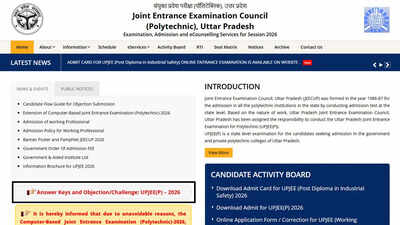
NEW DELHI: The Joint Entrance Examination Council, Uttar Pradesh has officially released the provisional answer key for the UP Polytechnic entrance exam today, June 11, 2026. Candidates who appeared for the state-level entrance examination can now access and download their respective response sheets through the official website at jeecup.admissions.nic.in. The online window to challenge the answers will remain active for the next four days, allowing students to flag discrepancies.The computer-based test was conducted across multiple examination centres in Uttar Pradesh from June 2 to June 9, 2026. With the answer keys now live, lakhs of engineering and diploma aspirants can evaluate their responses against the official solutions to calculate their raw scores. The final results and merit lists will be compiled based on the verified responses after considering all valid candidate challenges.Evaluate Performance and Estimate ScoresThe release of the provisional answer key serves as a crucial step for candidates to estimate their performance before the final results are declared. By comparing their marked responses with the master answer key, students can calculate their probable scores using the official marking scheme. Each correct answer awards four marks, while one mark is deducted for every incorrect response.
Steps to Download JEECUP 2026 Answer Key
Candidates can follow these simple steps to view their response sheets:Step 1: Visit the official website at jeecup.admissions.nic.in.Step 2: Click on the “JEECUP 2026 Answer Key Challenge” link on the homepage.Step 3: Enter your application number and password or date of birth.Step 4: Click “Submit” to access your dashboard.Step 5: Download your response sheet and the provisional answer key PDF for future reference.
Steps to Raise Objections Online
If a candidate finds an error in the provisional answer key, they can challenge it online by following these steps:Step 1: Log in to the official portal using your credentials.Step 2: Navigate to the “Challenge Answer Key” tab on the user dashboard.Step 3: Select the question ID and the correct option ID you wish to contest.Step 4: Upload supporting text or scanned documents as proof for your claim.Step 5: Pay a non-refundable objection fee of ?100 per question using an online payment method.Step 6: Submit the challenge and save the confirmation receipt.


